Turn other sites' dead links into your backlinks.
We find relevant pages that link to pages which no longer exist, match each dead link to your best replacement, and help you write a short pitch to the site owner.
In short
Broken link pitches looks for pages in your topic that link out to pages which no longer exist. It reads pages that link to your competitors, pages that rank for your search terms and any pages you add, checks their outbound links politely, and keeps the ones that return not found. For each dead link it looks up what the missing page used to be about from an archived copy, then picks the page on your site that covers the same topic best. It finds the site's published contact email or contact page and drafts a short, friendly pitch with AI that you can edit and send from your own email. You track each prospect from found to pitched, replied, won or lost, and once a link is won we check it is live on the page.
Why Broken link pitches
How it works
From setup to results, step by step
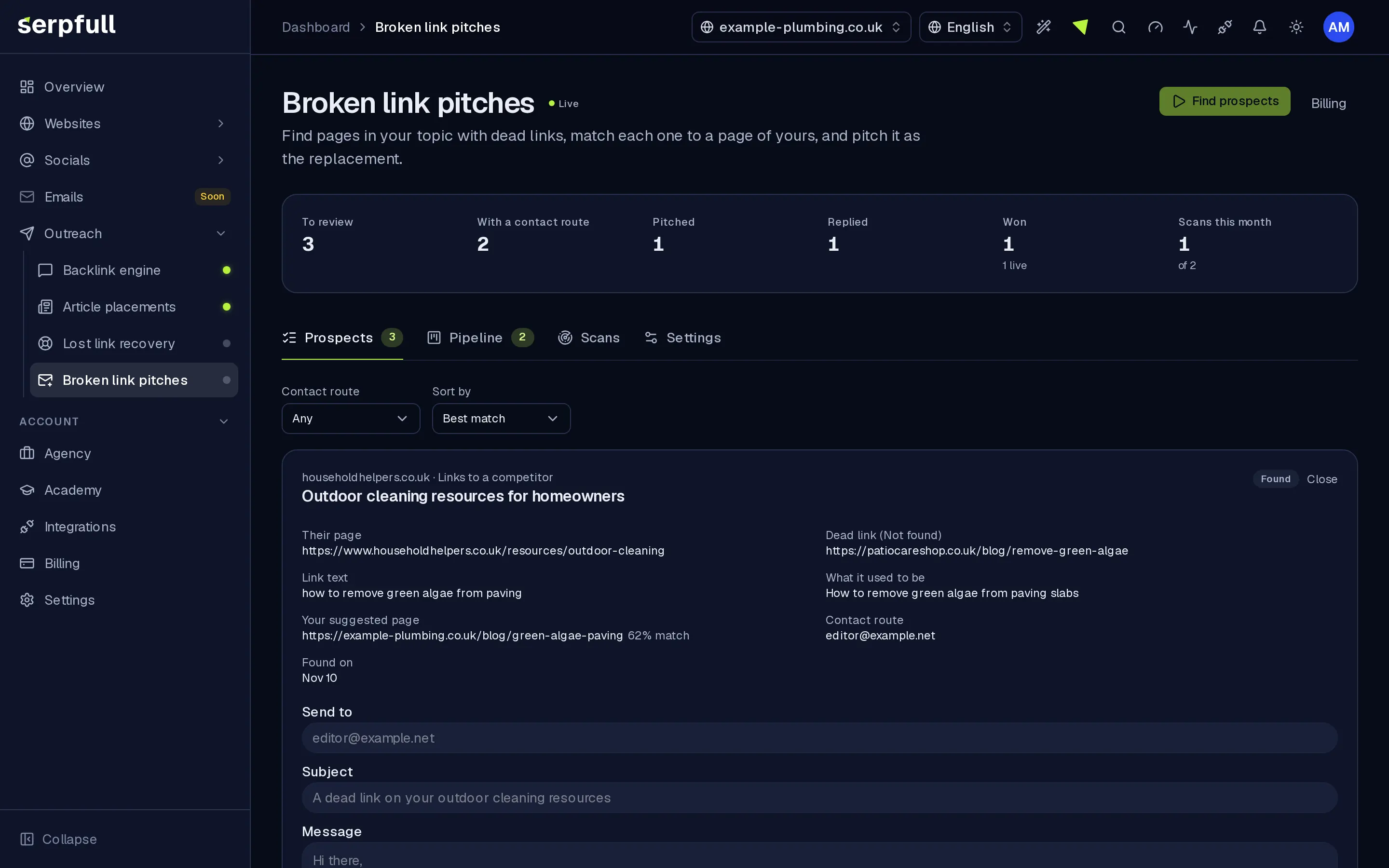
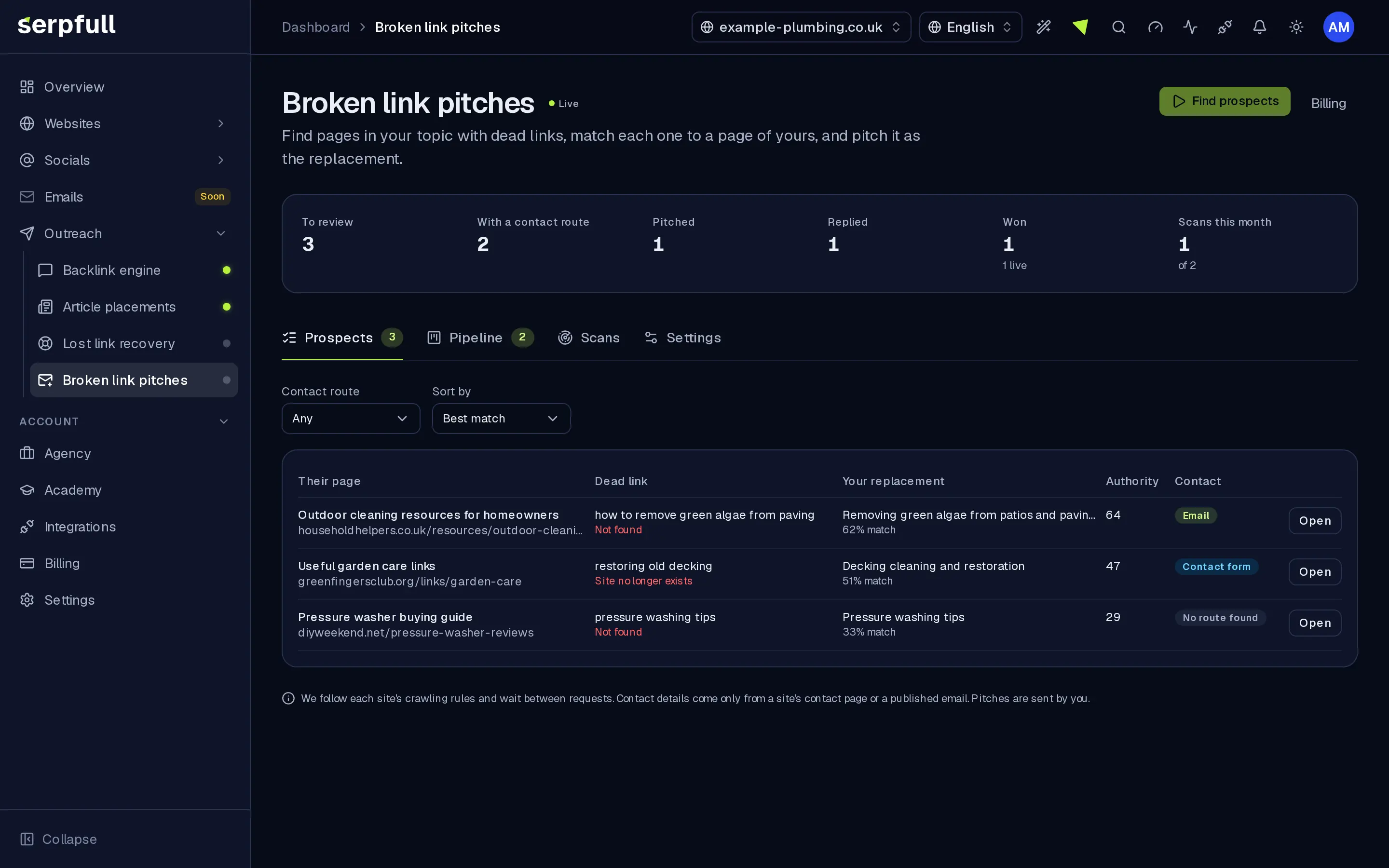
Screens from our demo workspace, showing sample data.
- 01
Start a scan
We read pages that link to your competitors, pages ranking for your search terms and any pages you add, at a polite pace that respects each site's rules.
- 02
We find dead links
Outbound links that return not found are kept, along with what the missing page used to be about from an archived copy.
- 03
We match your page
Each dead link is matched to the page on your site that covers the same topic best, and we look up the site's published contact route.
- 04
You pitch and track
Edit the drafted pitch, send it from your own email, and move the prospect through pitched, replied, won or lost. Won links are checked on the page.
Features
Inside Broken link pitches
Relevant dead links
We read pages linking to your competitors, pages ranking for your search terms and pages you add, and keep the outbound links that return not found.
Matched to your content
We look up what each missing page used to cover and suggest the page on your site that fits it best, with a match score.
Pitches you control
A short, polite pitch is drafted with AI for each prospect. You edit it, copy it or open it in your email app, and send it yourself.
Pipeline and live checks
Move prospects from found to pitched, replied, won or lost. When a link is won we check it is on the page and keep checking.
Guided tours
A guided tour shows you around Broken link pitches
In the dashboard, click the wand icon in the header and pick the Broken link pitches tour, or choose “Tour this page”. It highlights each part of the page and explains what it does, step by step.
How guided tours workUse cases
Who uses Broken link pitches
Questions
Broken link pitches FAQ
Where do the pages come from?
Pages that link to your competitors, pages that rank for the search terms you track or add, and any pages you add by hand. We skip big platforms and social sites.
Does Serpfull send the pitches?
No. You edit each pitch and send it from your own email, or use the site's contact form, then mark it as pitched. Sending from a connected inbox will come with the Emails area.
Is scanning polite to other sites?
Yes. We identify ourselves honestly, follow each site's crawling rules, wait between requests to the same site and cache results so we don't ask twice.
Where do contact details come from?
Only from the site's own contact page or an email address it publishes. We don't guess or buy email addresses.
How is it priced?
It's part of the Outreach plan: one monthly or yearly subscription per Outreach account that unlocks every Outreach module, from £29 a month. Each tier sets limits for scans, pages per scan, prospects and AI drafts.
Replace dead links with your best pages.
Find relevant pages with broken links, match them to your content and pitch with a message you control.