Connect an AI assistant
Let Claude, ChatGPT, Cursor and other assistants read your Serpfull data and run checks for the websites you choose.
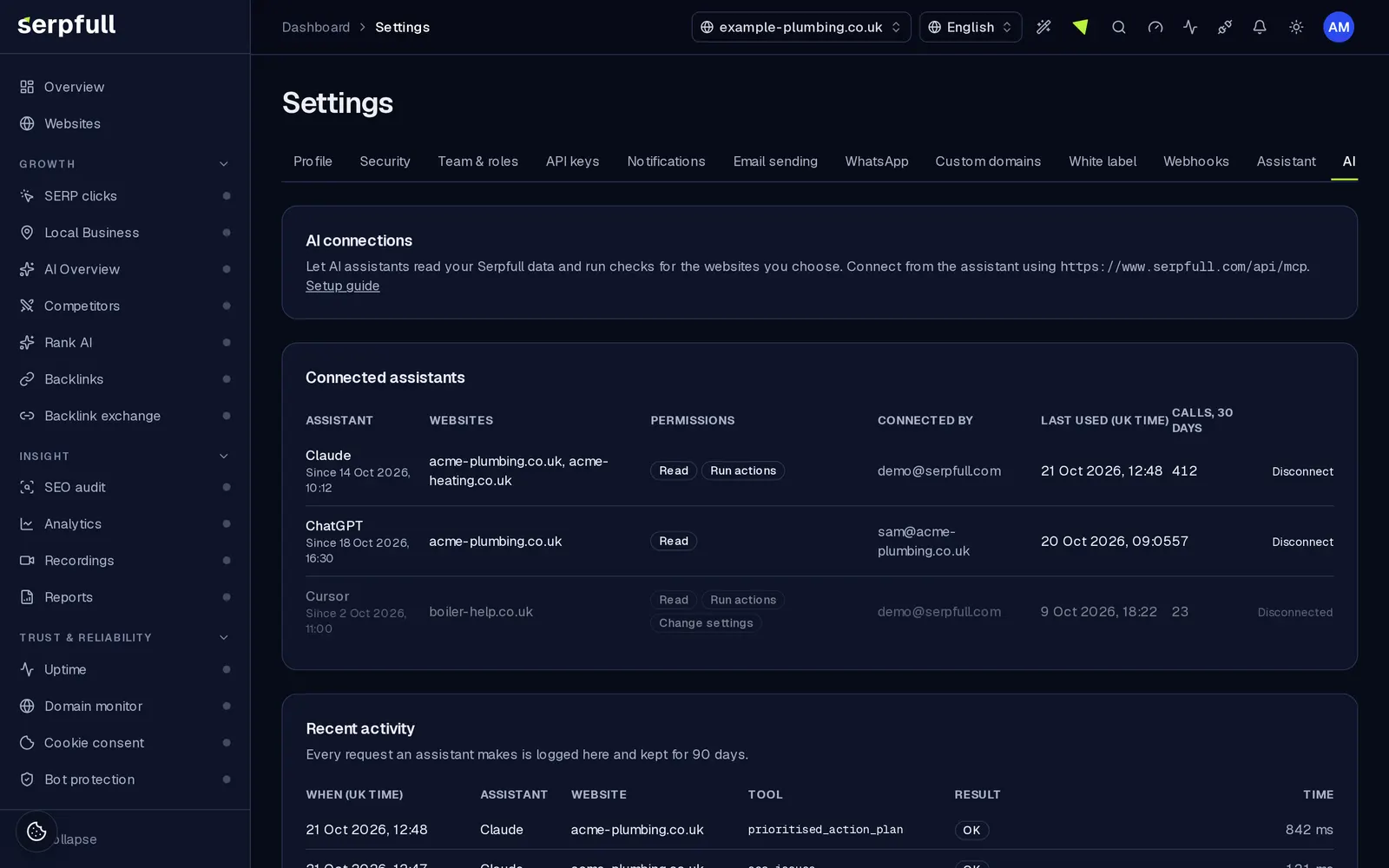
Serpfull has a remote Model Context Protocol (MCP) server, so assistants that support custom connectors can use your rankings, audits, analytics, uptime, links and more while you chat. It's included on every plan. You choose exactly which websites and Outreach accounts each assistant can see, and you can disconnect it at any time.
Server address
https://www.serpfull.com/api/mcpClaude
- Settings → Connectors → Add custom connector.
- Name it Serpfull and paste the server address.
- Press Connect, sign in to Serpfull, pick the organisation, the websites and Outreach accounts it can use, and permissions, then Allow.
ChatGPT
- Settings → Apps & Connectors → Advanced settings, turn on developer mode if your workspace requires it.
- Create a connector with the server address and OAuth authentication.
- Sign in to Serpfull when asked and approve access.
Cursor and other clients
Add a remote server to your client's MCP configuration. The client discovers sign-in automatically and opens Serpfull in your browser.
{
  "mcpServers": {
    "serpfull": { "url": "https://www.serpfull.com/api/mcp" }
  }
}
Permissions
- Read: data and insights for the linked websites. Always included.
- Run actions: start audits, rescans and link re-checks, add keywords or competitors, generate reports. Uses your plan's normal quotas.
- Change settings: create uptime monitors and bot protection rules, and remove them.
- Viewers can grant Read only; members up to Run actions; owners and admins all three.
Safety
- Each connection only sees the websites and Outreach accounts you ticked; every tool checks the website or Outreach account belongs to that connection.
- Removing something needs an explicit confirm: true from the assistant.
- Access tokens last one hour and refresh tokens 30 days; all are stored hashed and rotate on use.
- Visitor recordings are summarised without personal data.
- Every request is logged in Settings → AI connections for 90 days.
Limits
Website tools: calls are counted per website per month and per connection per minute, from the website's plan. Starter includes 2,000 a month (20 a minute), Growth 10,000 (30), Scale 40,000 (60), Pro 250,000 (120) and Enterprise 500,000 (240).
Outreach accounts
The Outreach tools (Backlink engine, Lost link recovery, Broken link pitches and Article placements) work on the Outreach accounts you tick on the consent screen, and follow each account's Outreach plan alone: a connection with only an Outreach plan can use them, with no Websites plan needed. Calls are counted per Outreach account per month and per connection per minute: Outreach Starter 2,000 a month (20 a minute), Growth 5,000 (30), Scale 15,000 (60) and Pro 50,000 (120). Connections made before Outreach accounts could be picked can use every Outreach account in the organisation; reconnect to change that.
What assistants can do
- site_health_overview and prioritised_action_plan: one view across every module, with SEO and answer-engine fixes ranked by impact and effort.
- SERP clicks, Local Business, AI Overview, competitors, SEO audits, Rank AI, analytics, recordings, heatmaps, reports, uptime, broken links, malware and blocklist checks, indexing, backlinks, backlink exchange, Backlink engine, domain monitor, cookie consent, bot protection and Workflows tools for each module on your plan.
- Guides for each module and a site context resource, plus prompts such as a site review, an SEO and AEO plan and a weekly update.
Endpoints for client developers
- Protected resource metadata: /.well-known/oauth-protected-resource
- Authorization server metadata: /.well-known/oauth-authorization-server
- Dynamic client registration: POST /api/oauth/register
- Authorise: /oauth/authorize (authorization code with PKCE S256 only)
- Token: POST /api/oauth/token · Revoke: POST /api/oauth/revoke
- Transport: Streamable HTTP, stateless, POST only
Updated